
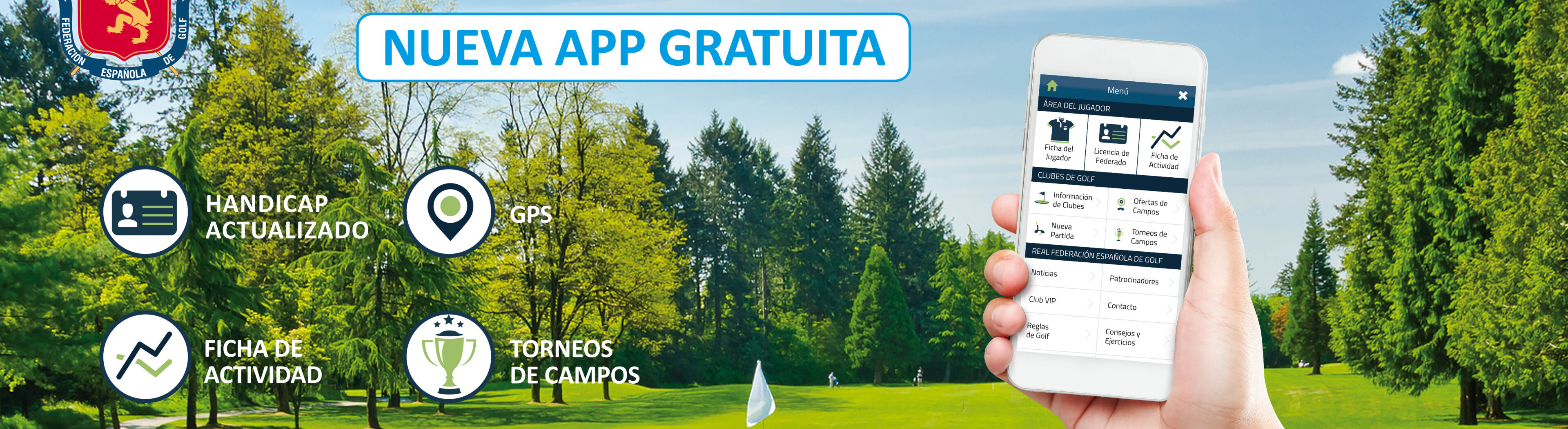

The Royal Spanish Golf Federation now has a new, updated and improved version of its mobile app for all golf members.
This is an application that facilitates access to the most requested data by members and golf enthusiasts in general, complementing the existing communication channels of this federative body (paper magazines, website, newsletter, etc.).
Download the tutorial videos and access the specific RFEG App website below, in the Related Links section.
LATEST UPDATE
The new update to the RFEG App aims to improve its features and offer new services to members of the Spanish golf federation.
The main changes made in the update focus on:
. Advanced solution to the Handicap update
. Official 9-hole tournaments: new view
. New configurable homepage
. Advanced profile settings: By default, red and yellow bars appear depending on gender. Customize the starting bars that each player wants by default.
. Professionals: View “P” in all sections except for games that appear with Handicap “0”
. Automatic save of games
. Text/Notice: Licenses pending payment
FREE DOWNLOAD
This new RFEG app can be downloaded for free from any of the usual virtual stores (App Store and Google Play).
Once the application is downloaded, only the first time it is accessed will a series of data be requested (email, contact phone number, license number) necessary for the personalized information that the user will have access to.
This data will be recorded for later use in queries to the different services without needing to enter it again.
Once registered, the member will have access to a series of tutorials created to facilitate the use and navigation of the app.
RFEG Mobile App Website
The RFEG App has a specific website where you can access all kinds of information related to it: www.apprfegolf.es
If you have any problems with the RFEG App, there is a contact email: soporte@rfegolf.es
THREE MAIN SECTIONS OF INFORMATION
The main functionalities of the application are divided into three main sections: Player Area, Golf Clubs and another that includes all the services of the RFEG.
Player Area
This section provides access to information related to:
. Activity Record (consult by current year or historical record of matches and cards made by the user)
. Statistics (view game statistics between different dates, including data from official tournaments as well as virtual cards uploaded from the App)
. Handicap (online handicap consultation)
Golf Clubs
In this section you can make inquiries related to the following functionalities:
. Locate courses (access the course information through a search engine with the filters Autonomous Community, Province, Course Name, Short Holes)
. The club (club description, routes, design, year of construction…)
. How to get there (field geolocation, address and contact information)
. Routes (description of the field routes)
. Virtual Card (you will first be asked to choose the route and the bars to enter the game data)
. Offers (offers advertised by the field)
. Field competitions
. Games with other members (game card for live data entry,…)
RFEG Services Section
This section provides access to:
. News (list of news published by the RFEG with direct link to its website)
. VIP Club (hundreds of agreements with exclusive companies for members in www.rfegolfclubvip.es)
. RFEG Sponsors (list of RFEG sponsors with information on their promotions)
. Rules of Golf (Decisions, EGA Handicap System,…)
.Tips and exercises (more than 500 videos made by RFEG technicians to help you progress in golf)
. Competitions (list of competitions –all, federation, regional, club– with open registrations)
. Registrations (possibility of registering online for a tournament)
. Information from the Regional Federations (news, offers,…)
. Inquiries to the RFEG (possibility of making inquiries directly to the different departments of the RFEG)
Download the tutorial videos and access the specific RFEG App website below, in the Related Links section.